Why Is My Frolic Vapor Hot or Harsh? 7 Fixes That Work
If your LimeLight Frolic vapor feels hot or harsh, open the airflow dial, drop the temperature, give the device a rest between sessions, load a lighter chamber and check that the screens in the cooling unit are clean. If it is still too warm after that, add a glass cooling stem or a bit of water.
Warm vapor is the most common complaint from new Frolic owners, and it is usually easy to sort out. This guide goes through the causes in order, starting with the free fixes and ending with the accessories that cool the vapor further. For a full tour of what is available, see our LimeLight Frolic accessories guide.
In This Article
- 1. Open the airflow dial
- 2. Step the temperature down
- 3. Space out your sessions
- 4. Don’t overpack the chamber
- 5. Check the screens and clean the cooling unit
- 6. Add a glass cooling stem
- 7. Add water
- A safety note on “Device too hot”
First, What Do You Mean by “Hot” or “Harsh”?
The two symptoms have similar causes, but they are not quite the same thing.
- Hot vapor feels warm or uncomfortable in your mouth or throat. It usually means the heat is not dropping off before the vapor reaches you.
- Harsh vapor tickles or scratches. It is often caused by too much heat, too little airflow or a clogged path, and it can also come from a dirty cooling unit.
- A “Device too hot” message is the Frolic telling you it needs a break. See the safety note at the end.
Work down the list below and stop as soon as the draw feels right. The earlier fixes cost nothing.
1. Open the Airflow Dial
This is the quickest win. The Frolic has an adjustable airflow dial with a range of roughly 0 to 25 L/min. A tight setting pulls less air through the chamber, so the vapor stays hotter and denser. Turn the dial towards the open end and take a slower, longer draw. Most people find that a more open setting feels noticeably cooler and smoother.
If you want the background on why this works, our article on how airflow affects vapor quality explains it in plain language.
2. Step the Temperature Down
The Frolic has two modes: Session mode goes up to 220°C and On-Demand mode goes up to 240°C. Running at the top of the range is the most common cause of harsh vapor. Drop the temperature one step at a time, and try a few draws at each setting before you change it again. Lower settings give a gentler, more flavourful draw, and you can raise the temperature slightly later if you want more density.
Our guide to the science behind cooler vapor covers how temperature and airflow work together.
3. Space Out Your Sessions
Back-to-back sessions build heat in the device and in the vapor path. If the Frolic feels hot to hold or the vapor gets warmer with each draw, put it down for a few minutes. Letting the body and the cooling unit settle between sessions is one of the manufacturer’s own suggestions, and it is also the reason a fresh start often feels smoother than the tail end of a long run.
4. Don’t Overpack the Chamber
The chamber holds roughly 0.25 g, and it works best when the material is loaded loosely. A tightly packed chamber restricts airflow, so heat builds up and the draw gets harsher. Fill it lightly, keep the material even and leave a little room so air can move through. If you want to load less, a smaller load in a loosely filled chamber almost always feels better than a full, compressed one.
5. Check the Screens and Clean the Cooling Unit
If the Frolic used to feel fine and has slowly got worse, this is the likely cause. The screens in the cooling unit collect residue over time, which slows the airflow and pushes the draw hotter and harsher. A quick check takes a minute:
- Remove the cooling unit and look at each screen. Discoloured, bent or partly blocked screens should be replaced.
- Clean the glass and metal parts of the cooling unit with isopropyl alcohol, rinse them well and let everything dry completely before you put it back together. Follow the manufacturer’s instructions, and keep the O-rings out of any soak.
- Fit fresh screens and check that the unit goes back together firmly.
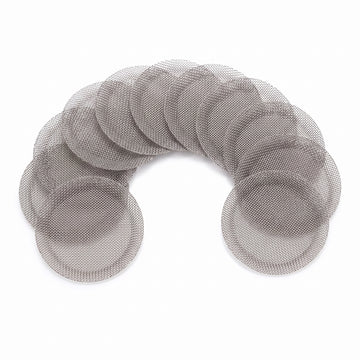
Replacement screens are cheap and come pre-shaped, so there is nothing to bend. The coarse mesh screen set for the Frolic keeps airflow free, and the fine mesh screen set filters more closely with a slightly tighter draw. If your draw is hot, start with coarse.

For general technique, see our article on how often to replace screens and filters and our guide to cleaning glass cooling stems safely.
6. Add a Glass Cooling Stem
If the settings are right and the unit is clean but the vapor is still warmer than you like, a cooling stem gives the vapor more surface area and more time to lose heat before it reaches your mouth. Each of these slots straight into the stock plastic mouthpiece with no tools, and each is designed specifically for the Frolic:
- The vibrant glass cooling beads stem uses coloured glass beads inside the stem to absorb heat.
- The glass cooling beads stem works the same way, with clear beads.
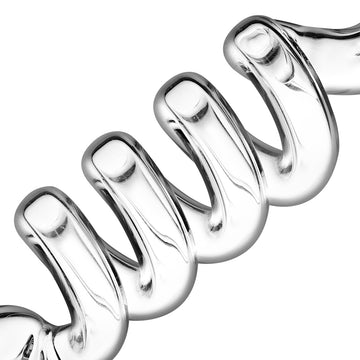
- The spiralled glass cooling stem is 110 mm long and sends the vapor along a spiral path instead.

These are made by The Vapetrix for the Frolic. They are third-party accessories rather than official LimeLight parts, and they are not designed for other devices, so please do not try them elsewhere. Glass is easy to keep clean, which also helps the vapor stay smooth.
7. Add Water
Water is the biggest cooling upgrade available. The direct plug-in side bubbler for the Frolic connects straight to the device, so you do not need a water pipe adapter (WPA) or any other parts. Add a small amount of water, plug it in and draw as usual. Do not overfill it, because a low water level cools well and helps prevent splashback.

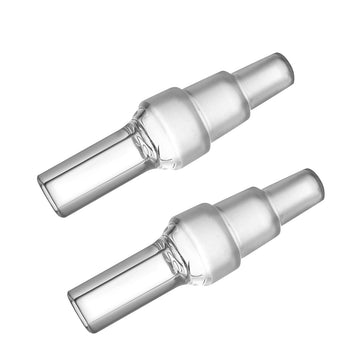
If you already own a water pipe, the Frolic WPA fits female glass joints of 10, 14 and 18 mm. Most people will find the side bubbler simpler.
A Safety Note on “Device too hot”
If the Frolic displays “Device too hot”, stop, put it down and let it cool with the airflow open. Then work through the steps above: more airflow, a lower temperature, longer gaps between sessions, a lighter load and clean screens. Stick to the steps in the manufacturer’s manual and do not change any internal or calibration settings. If the message keeps coming back after all of this, stop using the device and contact the retailer or the manufacturer.
Quick Summary
- Open the airflow dial and draw slowly.
- Use a lower temperature in Session or On-Demand mode.
- Rest the device between sessions.
- Load about 0.25 g loosely.
- Replace clogged screens and clean the cooling unit.
- Add a glass cooling stem.
- Add water with the side bubbler.
Final Thoughts
Most hot or harsh Frolic sessions come down to airflow, temperature or a dirty cooling unit. Sort those three first, and if you want further cooling, a stem or bubbler will help. You can browse the full range in the LimeLight Frolic accessories, parts and stems collection, read the LimeLight Frolic accessories guide for the complete list, or see our general article on troubleshooting harsh or hot vapor. If you also own a Storz & Bickel Venty, there is a separate guide to fixing harsh vapor on the Venty.